
Sprint review report
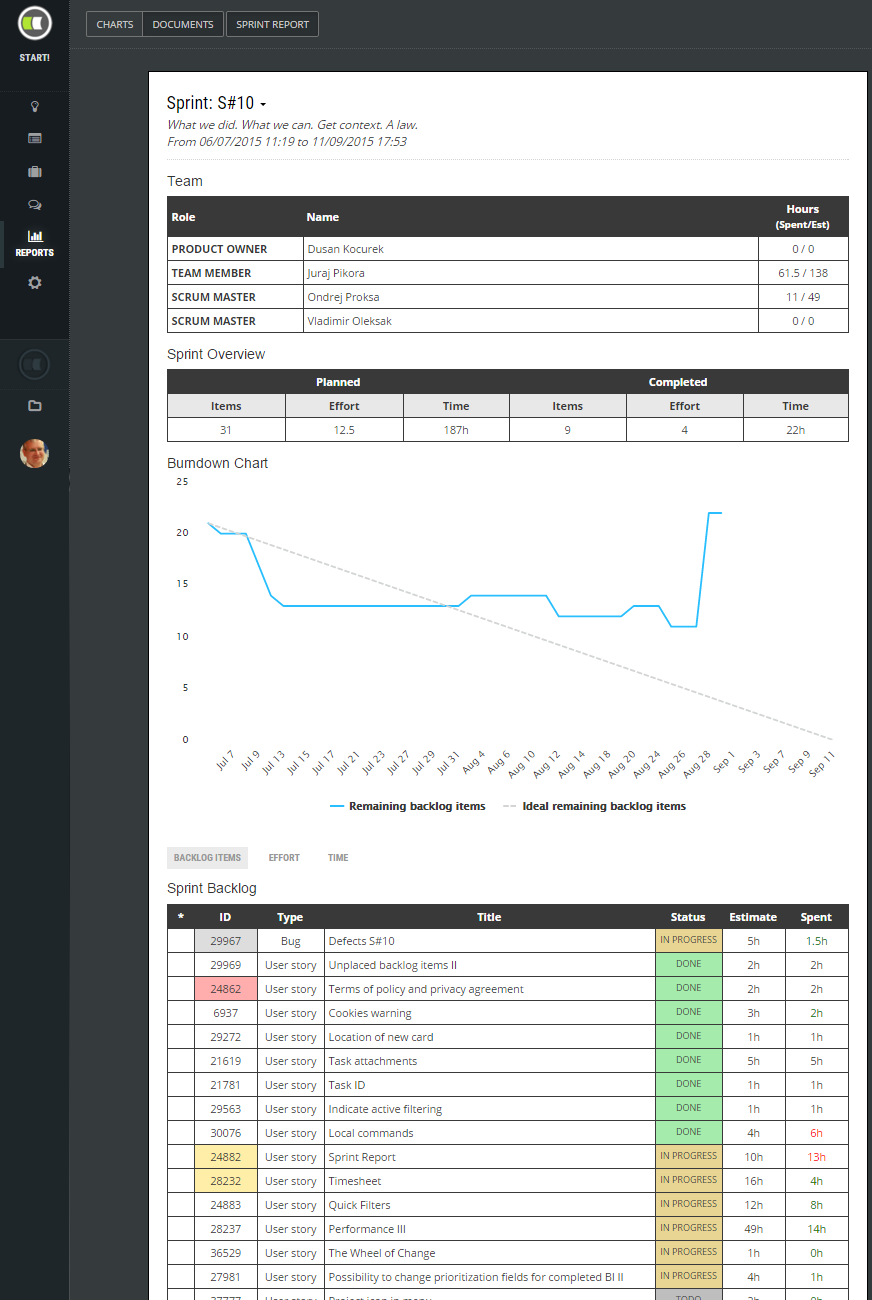
Every sprint should end with a sprint review session. ScrumMasters needs to prepare it often with an overview of how the sprint ended. Based on observation of more than hundreds of agile teams we implemented in ScrumDesk report in the way that summarizes fundamental sprint status information:
- Dates of the sprint.
- Information about the team and its team members with an overview of their capacity and effort done in the sprint.
- An overview of sprint achievements.
- Burn down chart displaying the progress of the sprint.
- List of sprint backlog items and their status.
- An indication of backlog items added after the sprint has been started (marked with * in the list).
- List of backlog items that were removed from the sprint.
TIP: Read more about How to prepare for a great sprint review.