
How to plan release and sprint
Scrum is a framework for iterative development. Sprints are short iterations (two or three weeks long) in which required functionalities need to be developed and the next product increment should be ready at the end of the sprint.
Product owners plan however larger versions, releases. They require more time and therefore release typically integrates 3-4 sprints. Such releases are marked as Minimum Viable Products sometimes. Consider, please, that term release in this article doesn’t mean a deployment.
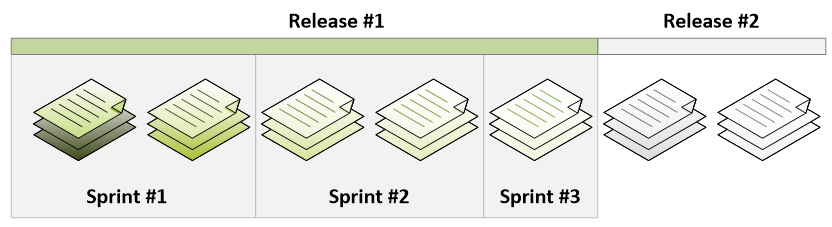
As the Product Owner you can plan in more time perspectives:
- long-term in the product backlog,
- mid-term requirements for Release #2,
- and short-term requirements for Release #1 even split into multiple sprints.
Agile planning is however based on as late as a possible principle. That means: “Do not provide a lot of details for Release #2 or backlog as there will be the changes anyway.“.
Leading product development is still necessary if even not more required in agile compared to traditional project management.
Release Planning in ScrumDesk
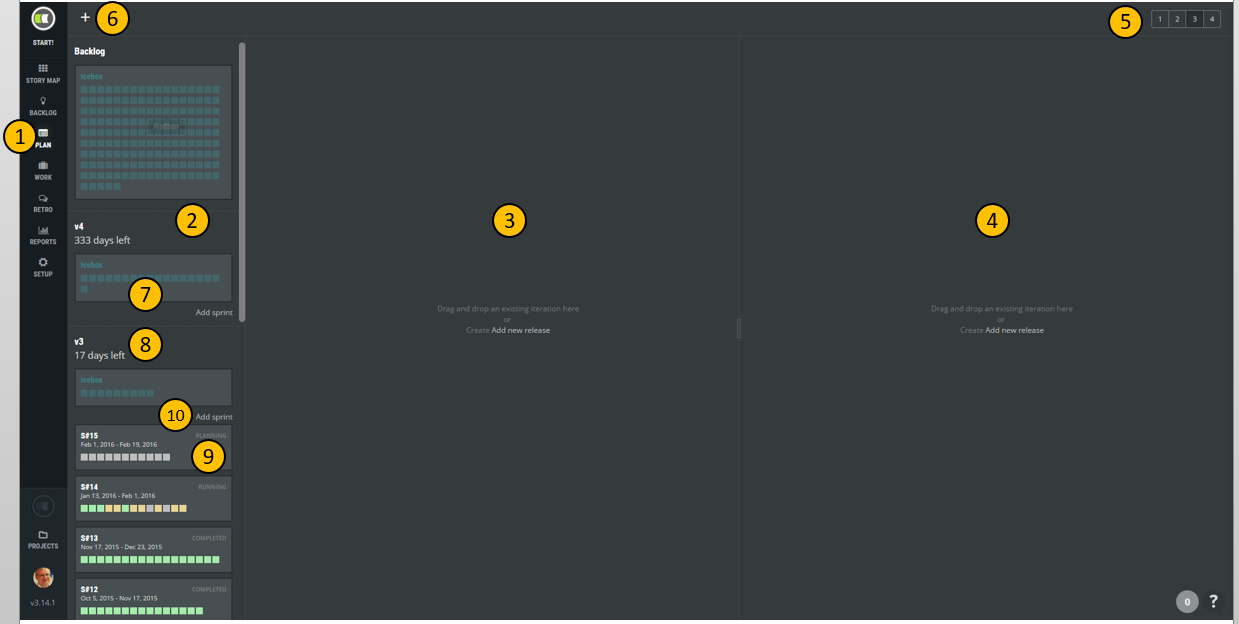
Click PLAN (1) in ScrumDesk’s left menu for the planning of release and sprints. The board that appears is split into multiple areas:
- A panel (2) displaying all project iterations, releases, and nested sprints.
- Two panels (3), (4) where you can drag and drop either a release or sprint you want to plan.
- A user can display up to four columns (5) on the planning board. This way is possible to plan the next sprint, the next release, and the backlog as well.
- It is possible to add the new version, a release, directly (6).
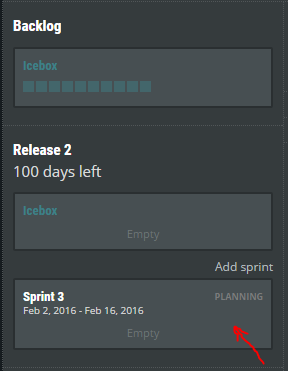
- Every release has one box called Icebox (7) by default. It holds backlog items the product owner wants in a particular version, however, she is not decided in which sprint.
- Sprints (9) are displayed as separate boxes indicating how many sprint items contain, sprint dates, and status of the sprint
- PLANNING – sprint is prepared by the product owner.
- RUNNING – an active sprint of items that are developed currently.
- COMPLETED – sprint has been completed and it is displayed as read-only.
- Add sprint command (10) will create the new sprint in a particular release.
Add new release and sprint
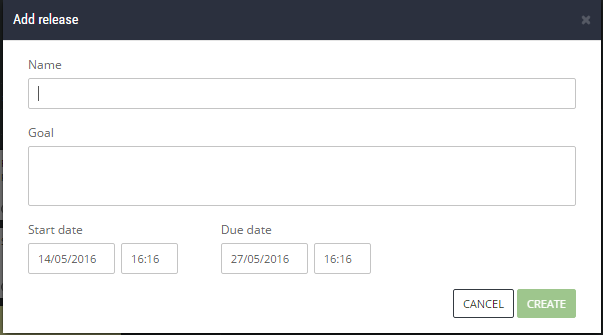
As the first step of planning is necessary to add a new release by clicking the + button (6). Then the user will be asked about further details necessary for planning.
- Name – the title of the release.
- Goal – short description of what the team wants to achieve at the end of the release.
- Start date – the day when release development should start.
- Due date – the day when the end of the release development cycle is expected.
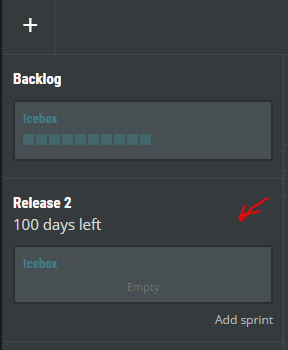
Once the release has been created successfully, an Icebox will be displayed in the iterations list. Then new sprints can be added. Click Add sprint in iterations panel to add new sprint. Again, less information is necessary to provide.
See it
< Story templates Save | Content | Plan enough to accomplish. Velocity. >