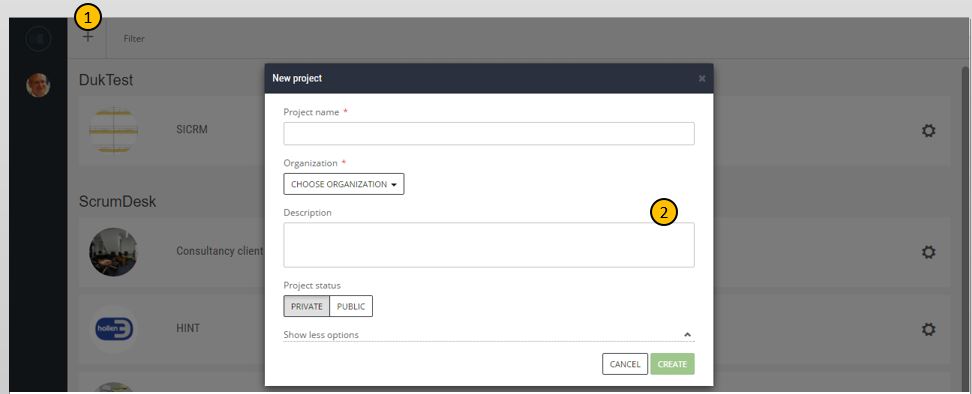
How to add a new project
A project is in ScrumDesk a central place for the agile team. For some teams, such a project keeps backlog items of the product that the team develops. For other teams, it might be a real project focused on delivery on time and on a budget. For personal usage, it might be simply stories and tasks of your life.
In ScrumDesk, the project is a collection of team members, releases, sprints, project backlog items, tasks, attachments, comments, work logs, and reports.
All projects in ScrumDesk are assigned to some organization. The user can work for more organizations at the same time (i.e. you are a freelancer), so before the project is added, it is necessary to choose the organization.
Public projects are accessible by all organization members provided with access to ScrumDesk Private projects are accessible for project team members only. New projects are private by default.
Customize the project
Only users with project administration permission can set up the project (this permission can be assigned to the TEAM page in PROJECT SETUP). Customization is accessible from the left main menu item.
The page access the settings on multiple pages that can be switched with buttons displayed in the top right corner.
Project details
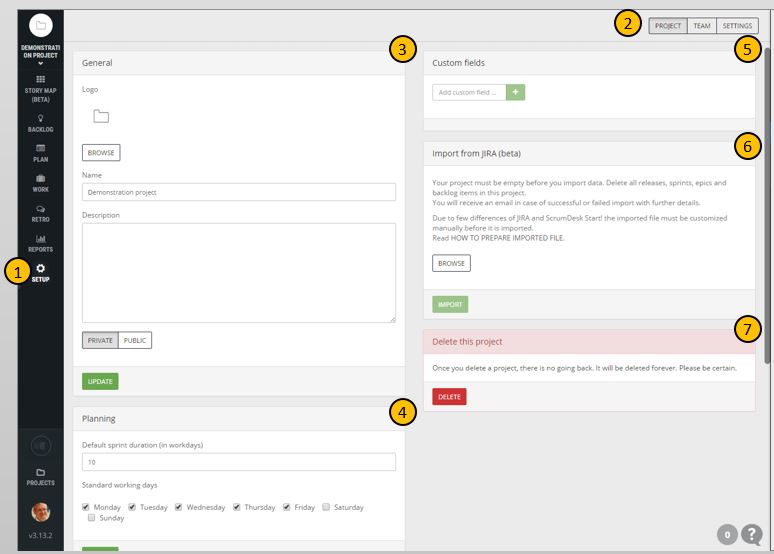
In General section (3) you change the project logo, its name, and description and make the project public, or private.
Planning section (4) helps Scrum Masters to configure the default duration of new sprints and working days which should be included in charts calculation.
Custom fields (5) section allows project administrators to manage additional custom fields you need to track within your organization for backlog items and tasks.
Import from JIRA (6) panel helps to import projects from Atlassian JIRA Agile tool. You will need to prepare an export into an XML file which can be imported by clicking on the IMPORT button. Check, please, further details in the Import manual section.
To delete the project, all the backlog items, tasks and releases, sprint progress press the DELETE button (7). Consider that this action is not reversible!
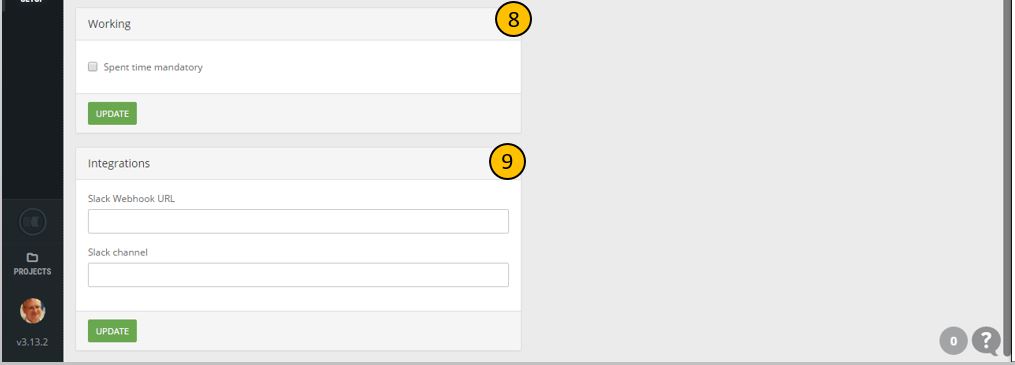
Scrolling the window down you will find panel Working where can be mandatory logging of time spent turning on, or off.
In the last section Integrations project administrator can configure live synchronization of project data with 3rd party tools the team is using.
Additional settings
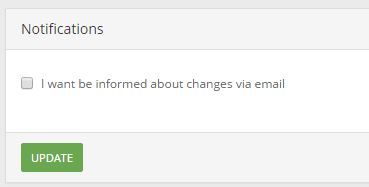
ScrumDesk sends an email notification to team members who wish to receive it. This can be done by every team member on the SETUP\SETTINGS page by clicking on the checkbox I want to be informed about changes via email.