
How to manage Product Backlog
Once the Product Owner has prepared the ideas on the user story map, it is time to set the order in the product backlog. The user story map is one approach, but not all teams are using it. It is more traditional to manage the backlog of uncompleted backlog items as a list.
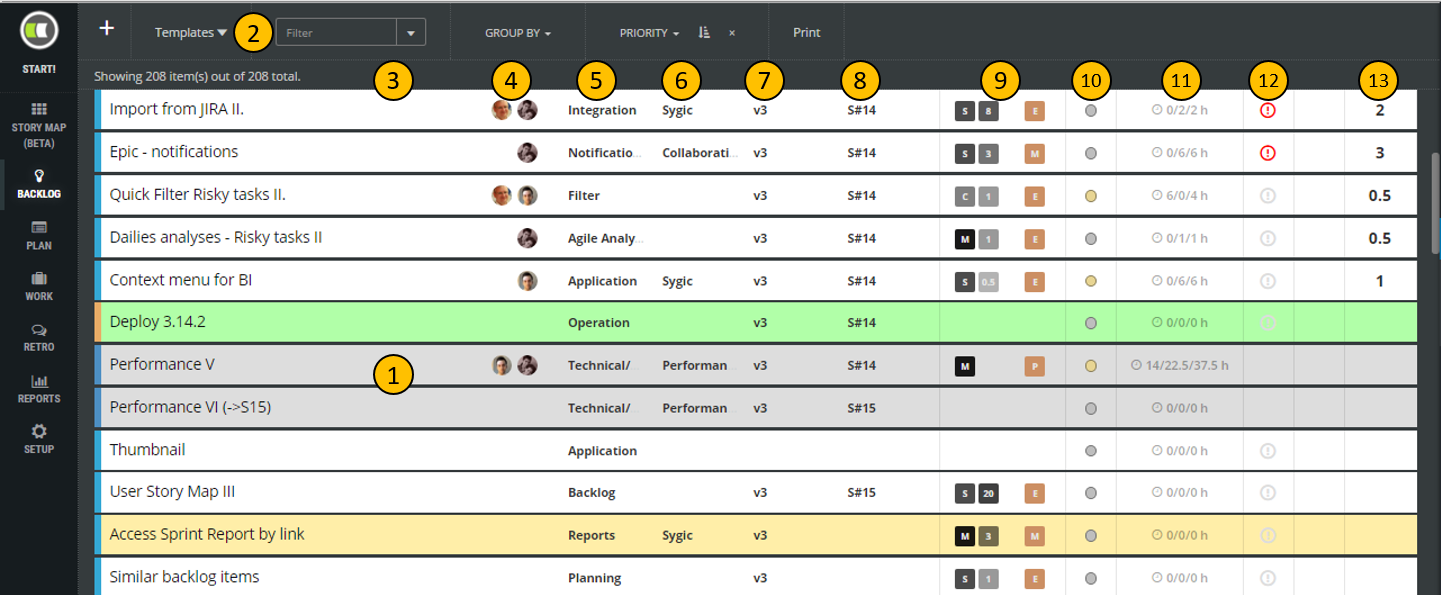
The backlog view lists every backlog item on a separate line (1). Top menu (2) enables to filter, sort, and group items.
Backlog items attribute displayed on the list:
- colored strip at the begging of the row indicates backlog item type,
- background-color of the line is the same as the item’s card color in desk view or user story map view,
- (4) team members working on a story,
- (5) epic which story belongs to,
- (6) business theme of the story,
- (7) planned release/version,
- (8) sprint in which story should be developed,
- (9) prioritization attributes
- MoSCoW to estimate user needs,
- business value estimated in Fibonacci scale,
- risk level related to the development of the item,
- KANO represents customer expectations level.
- (10) implementation status of the item:
 item to be developed (to do status),
 the item is developed currently (in progress status),
 developed item (status done). Consider that completed items are not displayed in the backlog list.
- (11) time-related information in form of remaining/spent/estimated time. The time is defined by backlog items subtasks only and it is not possible to set it for backlog items,
- (12) impediment flag which is displayed in case some team member has indicated any problem related to that item. The details about the problem are typically tracked in comments of the backlog item. Impediment flag is set even if some task has a problem indicated as well,
- (13) estimated effort in story points.
Add new backlog item
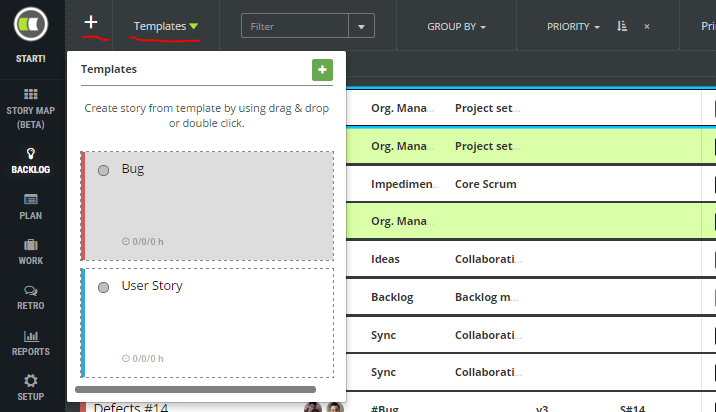
New backlog items can be added either directly (+) or based on story template chosen from Templates list.
Details
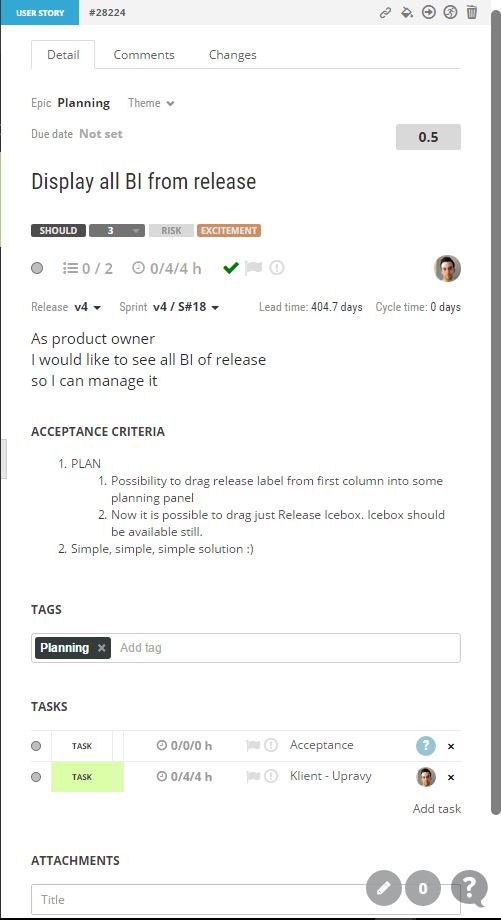
Backlog item details are displayed in a side view on the right side of the application window when any backlog item is clicked.
Prioritization
Priorities in Agile are not important anymore. The more important is an order of backlog items. The order can be changed easily by dragging and drop of rows. This order is considered later in planning mode.