
Scrum Project Management Tool
Complex product backlog? What to work on as the next? Are sprints never fully completed? Is team overloaded? Not sure if sprint can be changed? What is blocked now? Too much work in progress? Is Kanban board updated? Will it be finished on time? Endless planning?
FREE
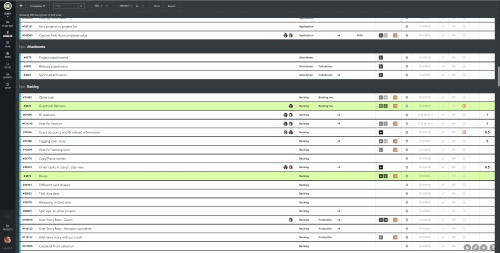
Backlog Management
Product backlog as an ordered list
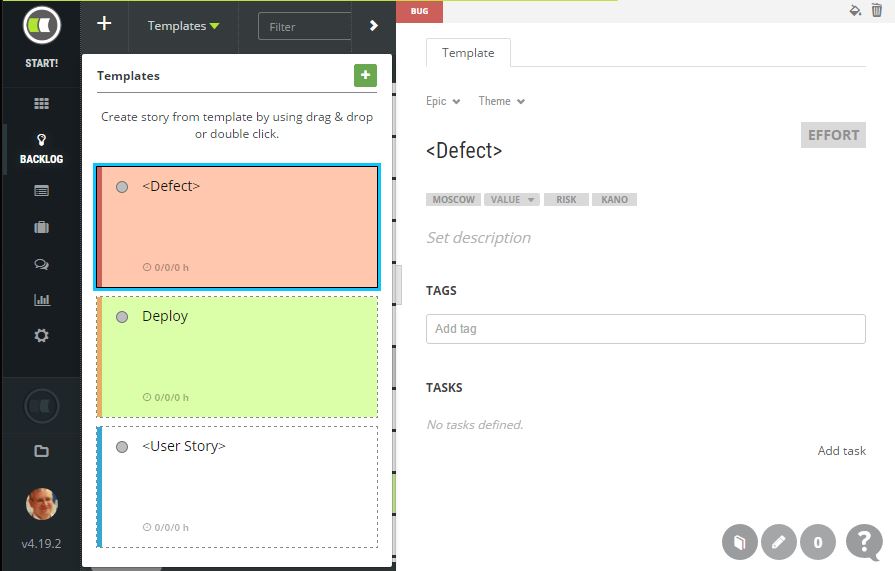
Story templates
- Prioritize by drag and drop
Group by type, color, member, business value, effort, MoSCoW, kano, theme, epic, state, impediment, readiness, tags, estimated time, sprint or release
Sort by id, title, priority, business value, effort, MoSCoW, kano, state, estimated time, sprint or release
Print colored cards for onsite planning sessions
Export backlog into Microsoft Excel CSV file
Advanced search
Backlog Items
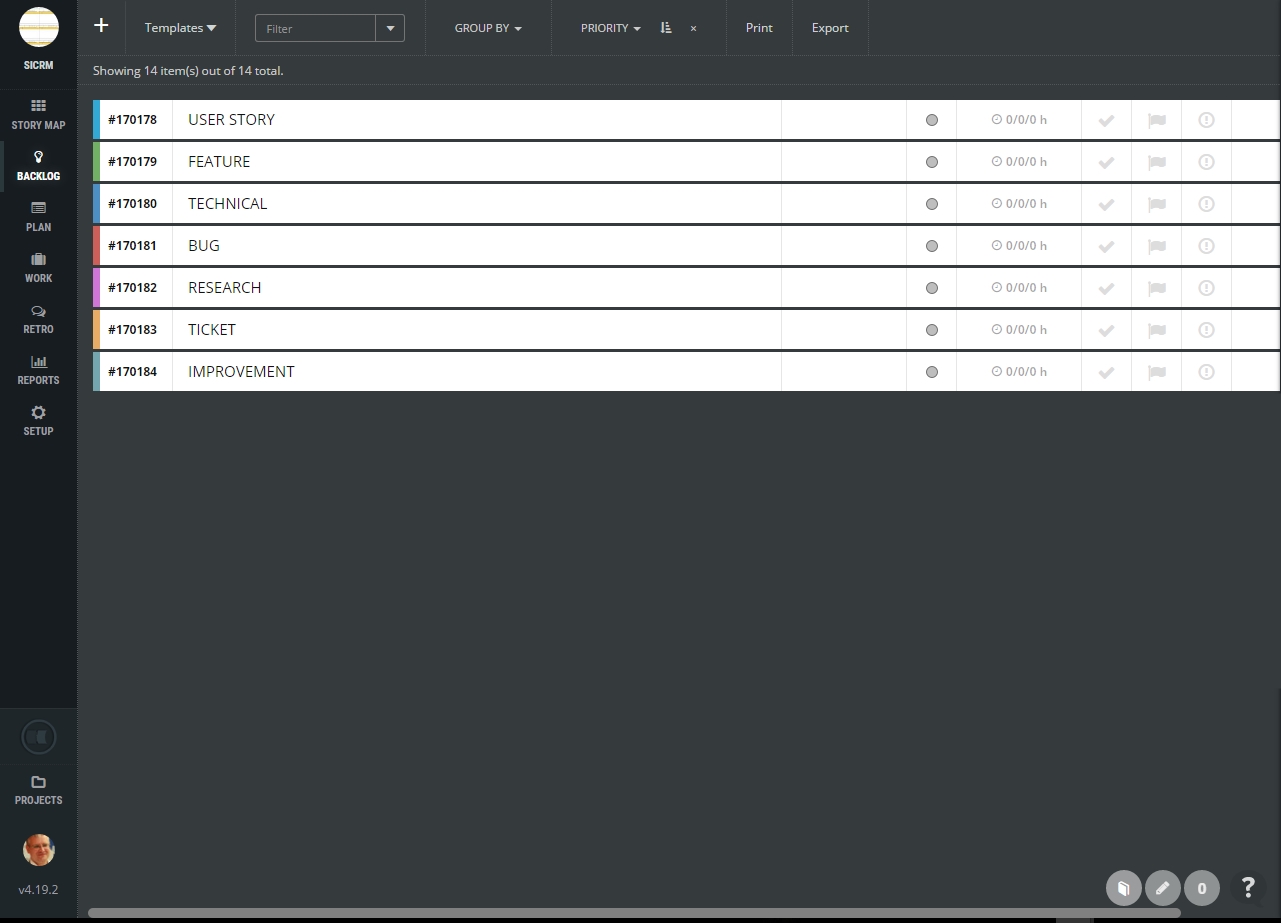
Multiple backlog item types
Epics, features and user stories
The technical story for non-business related development to solve technical debts
Defects management
Research type for exploratory work that is hard to estimate
Colors for item types
Item types defined based on agile coaching experience from 100+ agile teams
Story Templates, Definition of Done
Quick creation of backlog item from story templates
The consistency of the backlog
Type, theme, epic, MoSCoW, business value, risk, kano, effort, formatted description, tags
Subtasks which are necessary to finish the item based on your Definition of Done
Estimated time for every subtask
The new item created from the story template by drag and drop
Build your backlog fast & consistent
Planning
Release planning
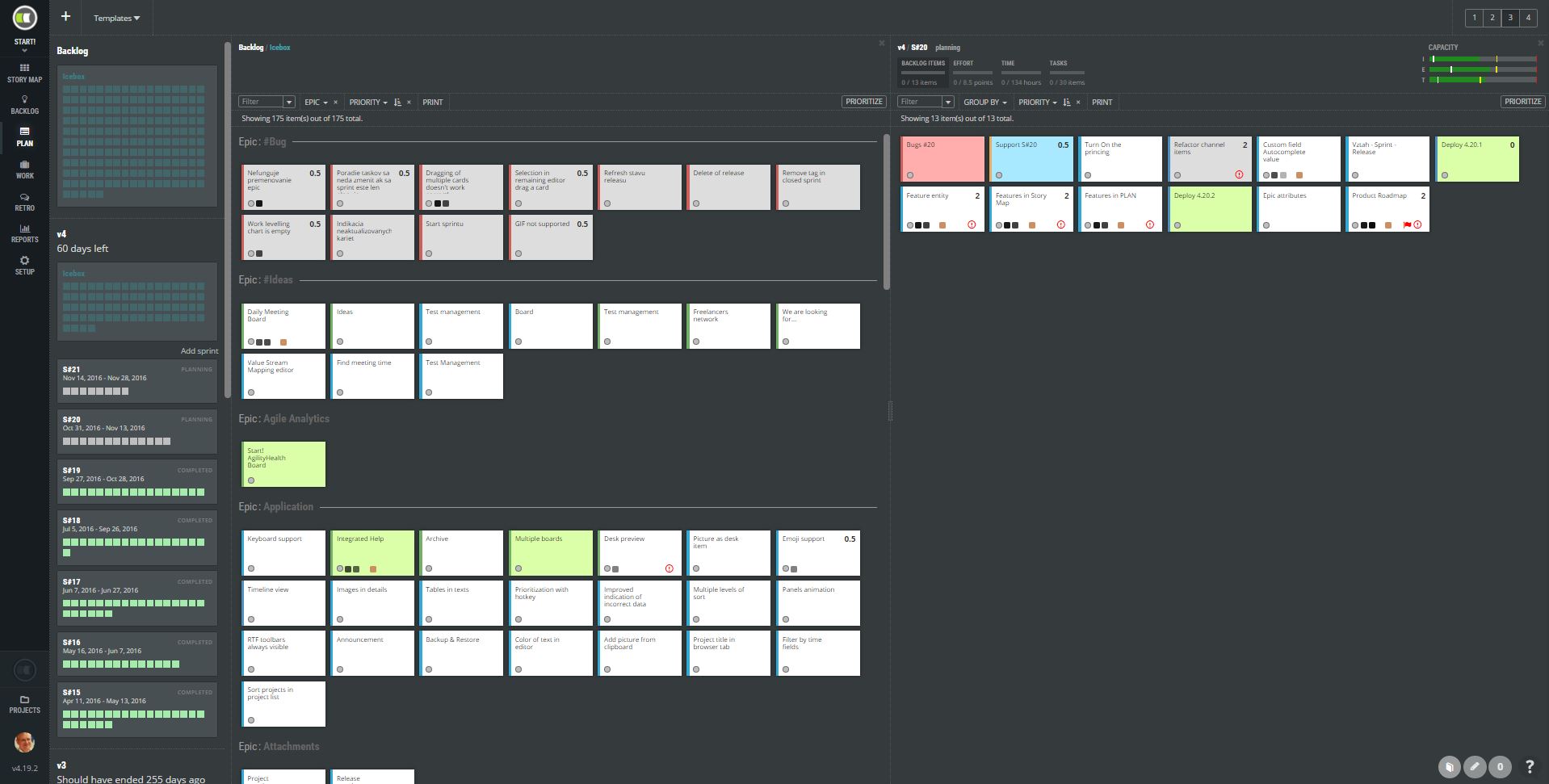
Sprint planning
Start date, end date, goal, and description
Sprint status
Progress with BurnDown chart
Plan multiple iterations at once
Prioritize by drag and drop
Assign to release or sprint by drag and drop
Capacity indicators – plan enough for your team based on statistics from previous iterations
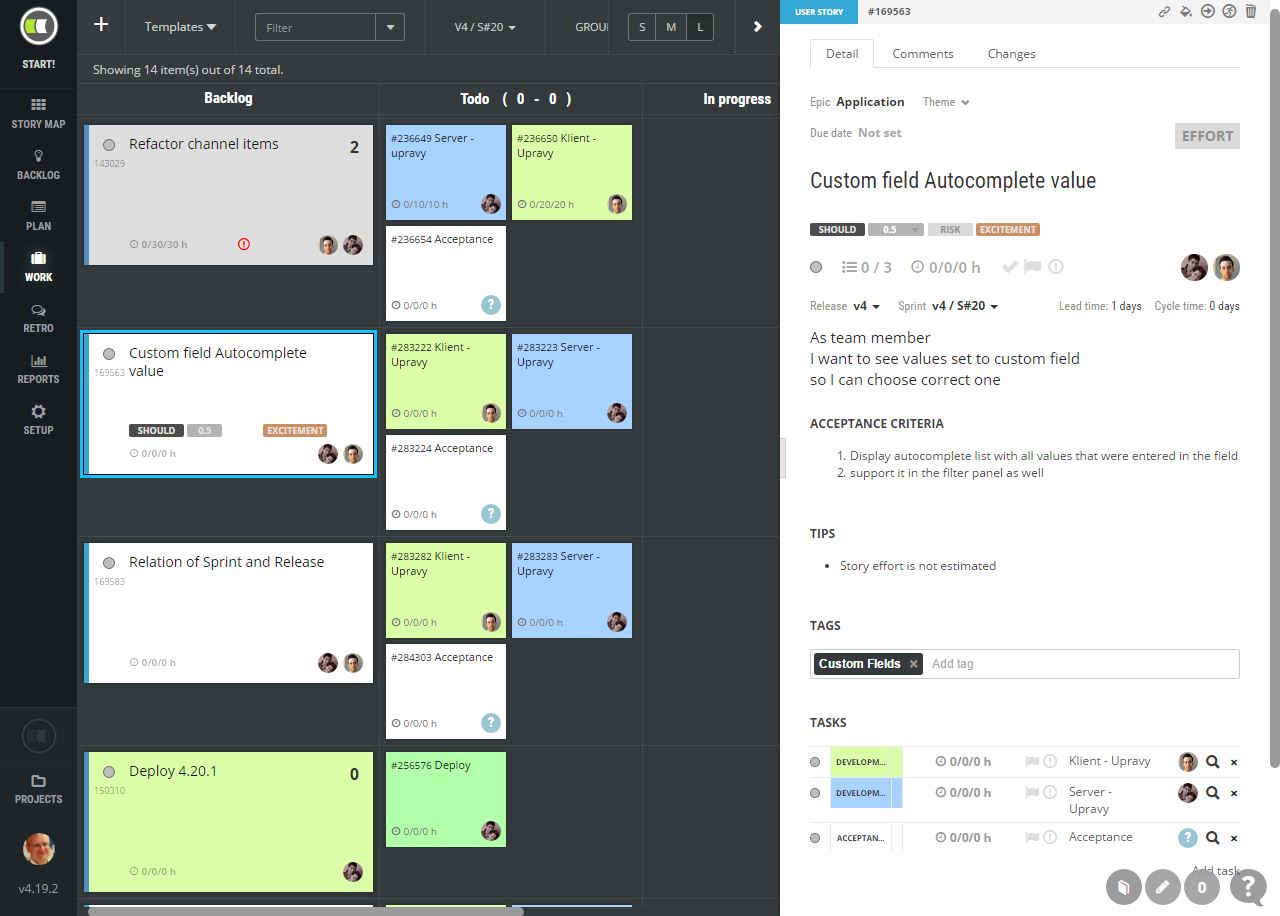
Kanban Boards
- Scrumban style of the board. See backlog items and its subtasks at once.
Change status of a task by drag and drop
Move task into another backlog item by drag and drop
Add a new task by one click
- See which tasks were not updated since yesterday
Group rows into swimlanes
- Manage and see the sprint backlog even it is not started yet.
- Export tasks into Microsoft Excel file
- Touch devices are supported as well. Use the board on LCD :)
- Colors to distinguish different types of tasks
- Assign by drag
- See impediments
- Track estimated, spent and remaining time
Find risky tasks that you will not be able to finish till the end of the sprint. Or for other 8 reasons we see in real agile life.
- See statistics in place
- Customize workflow if you must. Not necessary, the default workflow is the best one anyway :)
- Split, Clone, Move unfinished backlog item
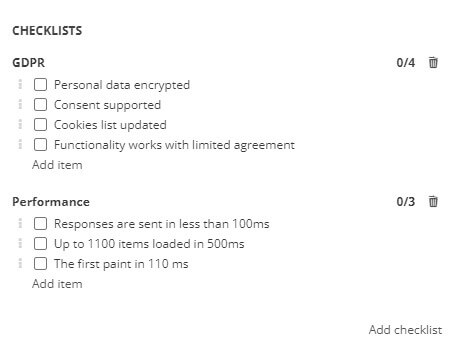
Checklists
Multiple checklists to track readiness or quality indicators
Completion status overview
Checklists for epics, features, backlog items and subtasks
Checklists in templates to be consistent and create checklists faster
Change order of checklist items by drag and drop
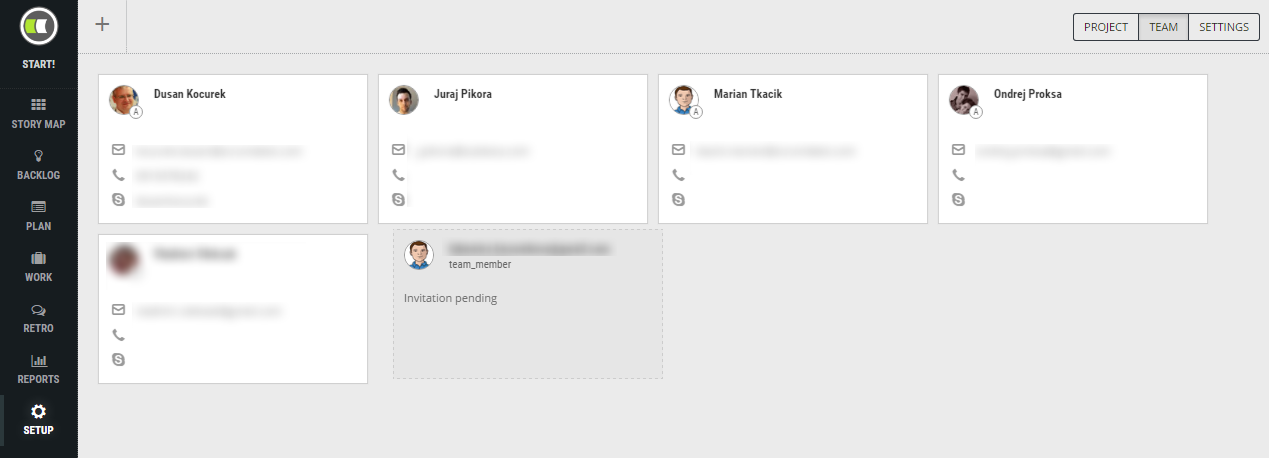
Scrum Roles
Company account administrator able to invite users, manage accounts and configure ScrumDesk
Project administrator invites team members into projects and manage everything project-related.
ScrumMaster who can track everything in case colleagues are on vacation.
Agile tips and process optimization tools for ScrumMasters
Product Owner manages product backlog & priorities
Team members break down backlog items into tasks, estimate them, track and comment them.
Free Guest account with read-only access
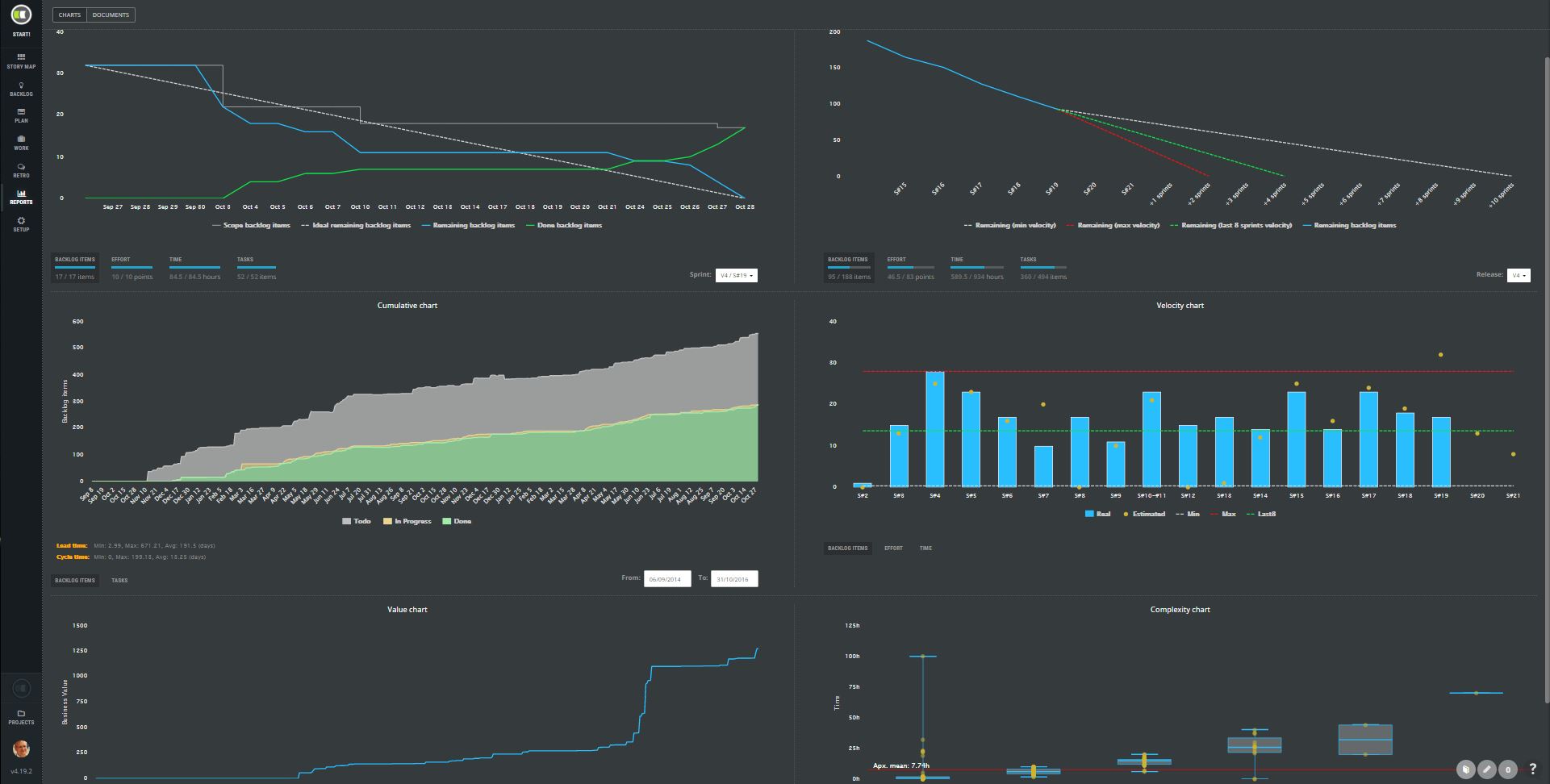
Agile Reports
Sprint Burn Down chart – the progress of backlog items, effort in storypoints, remaining time, number of subtasks, ideal line and total scope changes.
Release Burn Down chart – the progress of backlog items, effort in storypoints, remaining time, number of subtasks, ideal line.
Prediction of release end with help of velocity statistics. Minimum, last 8 sprints and maximum velocity calculated.
- Cumulative Flow Chart uncovering bottlenecks in your process.
- Velocity chart indicating how much you are able to finish your commitments. Let your plans be more accurate.
- Value chart to see how much business value you have added so far.
Complexity chart to validate your storypoints estimation comparing to time. Improve accuracy of effort estimation.
Lead and cycle time.
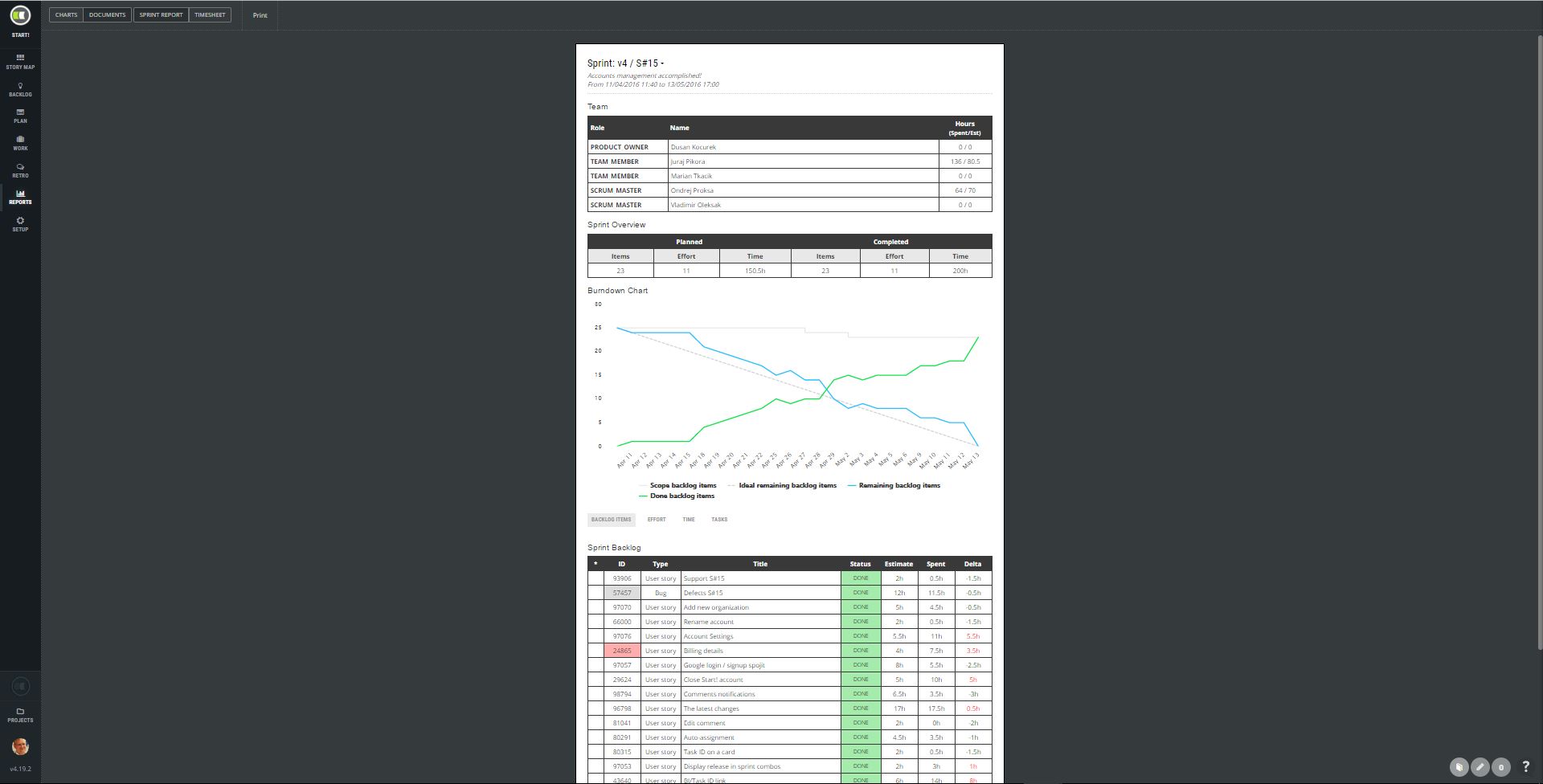
Printable Documents
- Sprint Report document containing summary of your sprint. What was planned, what was added, removed and done. Who worked on it, for how long. Check capacity of team members. See the progress with burndown chart. Save to PDF. Print it on a paper.
- Timesheet document – who did what on which day, on which task and which backlog item. Not necessary for real agile teams, but taxes are taxes :(.
Additional Features
- Instant background synchronization
- Attachments. From file, DropBox, or Google Drive.
- Comments with @mentions. Notify your colleague to give you an answer!
- All changes in one place
Worklog with a progress indicator of real vs. estimated time.
- Capacity planner – let your team self-organize. Share how much time you will work on a sprint and self-assign enough tasks. You will never over-commit with ScrumDesk
- Level effort of team members – compare who is more overloaded.
- Did you find any problem? Contact our support via integrated support messenger.
- Stay in touch with your team with emails or Slack notifications
- Custom fields are there as well. Just in case you need them.
- Impediment and waiting flags
- JIRA user? Import your issues. We are very sure you will be more satisfied with ScrumDesk. Plus you will finally concentrate on your work, not on the tool!
Archive old release, sprints, and backlog items
BIllable or non-billable work log records