
– ScrumDesk Hub is not supported anymore! –
This article is targeted for clients who still use ScrumDesk Hub.
Overview
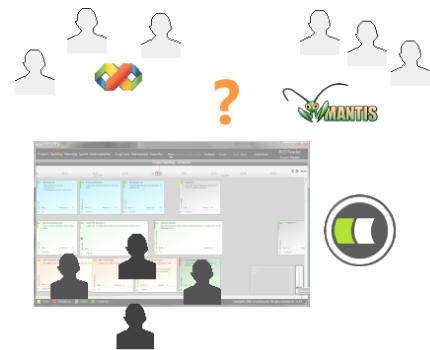
Customers are using ScrumDesk as a project management tool. However, teams are using a different set of tools during the project development.
Is it possible to enter an information only once into one tool? Are you continuously forced to write the same information into several tools?
Solution
The solution for these problems is ScrumDesk Hub. The ScrumDesk Hub is an application that is able to synchronize artifacts from different tools with the ScrumDesk database.
Hub is running in a tray icon area. Hub can be started, stopped or restarted by context menu.
The Hub is working with one or more ScrumDesk project databases. These databases are synchronized with other tools using a plug-in technology and connectors.
For every 3rd system, there must be installed appropriate connector. We are developing connectors on customers requests.
For a now, is available connector for Microsoft Visual Team Foundation Server 2008. Mantis connector is currently under development.
Architecture
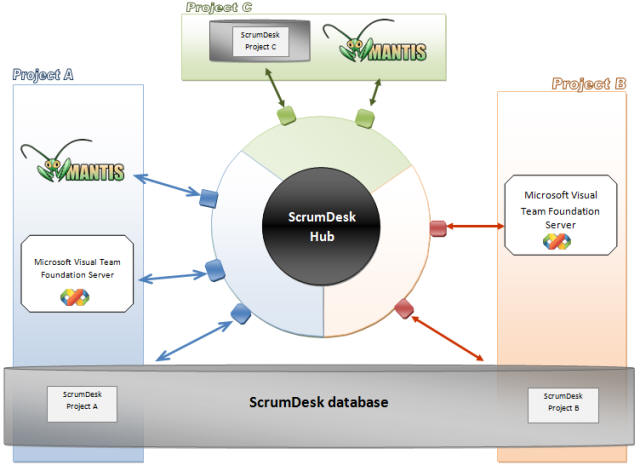
ScrumDesk projects are stored in SQL Server databases. Database can contains one or more projects.
The image above shows two sample project databases. The database on the top contains Project C. The second database (on the bottom of the image) contains two projects : Project A and Project B.
Project A Environment
- ScrumDesk as a project management tool supporting Scrum
- Visual Studio Team Foundation Server and Visual Studio addin. This addin enables to developers work with artifacts directly from inside the Visual Studio.
- Mantis – easy to use bug tracking system that is used directly by product owner by remote access.
Project B Environment
- ScrumDesk as a project management tool supporting Scrum
- Visual Studio Team Foundation Server and Visual Studio addins.
Project C Environment
- ScrumDesk as a project management tool supporting Scrum
- Mantis – easy to use bug tracking system that is used directly by product owner by remote access.
Synchronization
ScrumDesk Hub is connected to ScrumDesk databases and it constantly checks for artifacts changes. The hub is connected to 3rd party systems by connectors.
If artifact has changed, it is synchronized over the project’s SyncBox . SyncBox connects the project’s artifacts stored in different systems. For example, if a new story is created in ScrumDesk, the new story is created in Team Foundation Studio too.
The Hub supports vice-versa synchronization.
There are 3 SyncBoxes on the image for each project:
- Changes in Project A are synchronized with tools inside the blue SyncBox,
- Changes in Project B with tools inside the orange SyncBox
- and Project C is synchronized with green SyncBox tools.
All synchronization events are processed for a given project only.
ScrumDesk Hub Set Up
ScrumDesk Hub is running in a tray. To run successfully, ScrumDesk requires a working connection to synchronized systems and ScrumDesk project databases.
ScrumDesk Hub can synchronize one or more ScrumDesk databases. Databases must be listed in synchronization list.
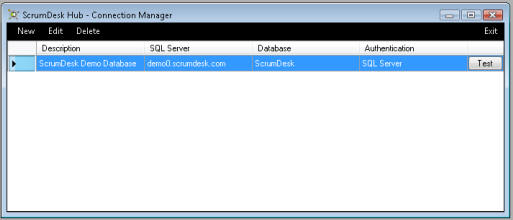
The Hub listens to all the changes occurring in these databases. Each project stored in ScrumDesk database contains an information about SyncBox – trough which 3rd party tools have to be synchronized with ScrumDesk project database.
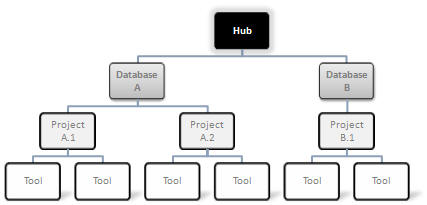
ScrumDesk database connection
ScrumDesk Hub requires to set up a connection to ScrumDesk database that contains projects.
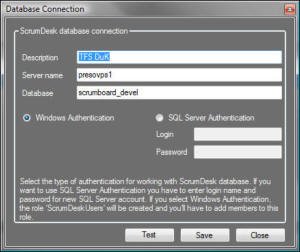
Read more about an installation in ScrumDesk Synchronization Hub Manual.
3rd party tools – additional steps
Some systems require additional steps for successful integration. For example, Microsoft Team Foundation Server is based on web services. To track the artifacts changes in TFS, web service notification sink must be registered. You can read more about it in TFS Set Up
ScrumDesk Project Set Up
ScrumDesk Hub reads the information about required tools synchronization from project’s settings.
You can set project integration (or synchronization) on Integration page in Project view.
All tools that have to be synchronized with the current project are written in a list.
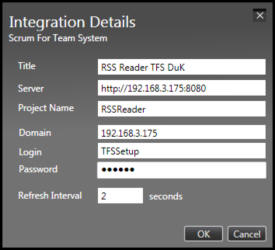
Synchronized tools are specified by:
- title,
- type,
- tool connection details,
- project name in the synchronized system
- refresh interval

For example, to set up the synchronization with Microsoft TFS project, scrum master has to enter the following information (displayed on the image bellow).
 |
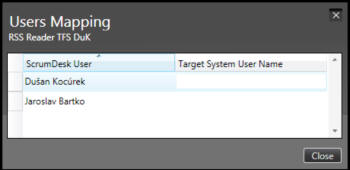 |
| TFS Project settings | User mapping |